The CONVERGE Hub
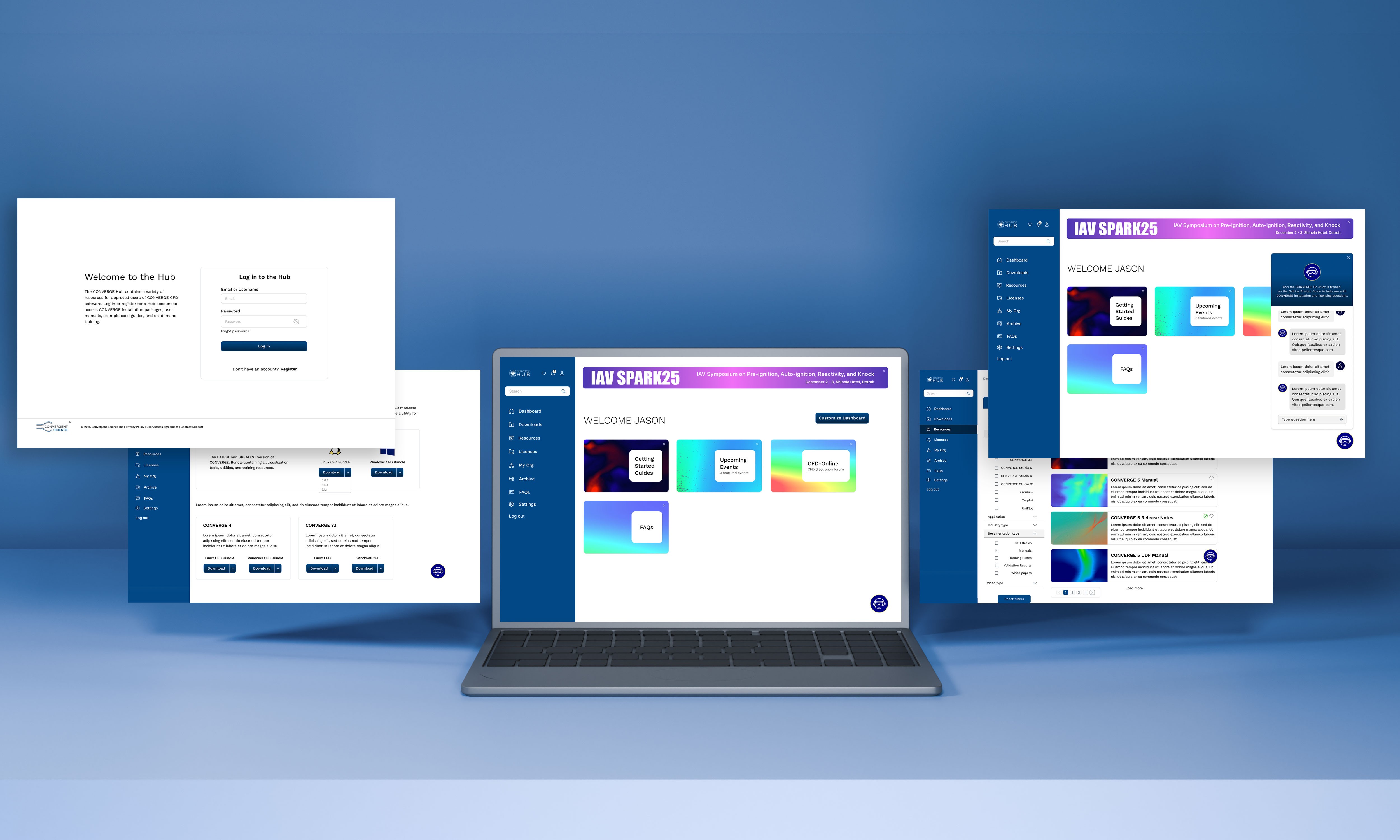
Employer: Convergent Science
Role: Web Designer
Collaborators
Sales: Interviews and feedback on current hub usage.
Training: Interviews on current hub from training perspective and how to utilize in the future.
Development: Collaborating across figma, slack, meetings, asana and google docs. Providing feedback with clarifying design questions, working together when issues arouse.
What is the CONVERGE Hub?
The CONVERGE Hub holds the software downloads for CONVERGE CFD, Training videos, Licenses and more for users of CONVERGE CFD.
Problem
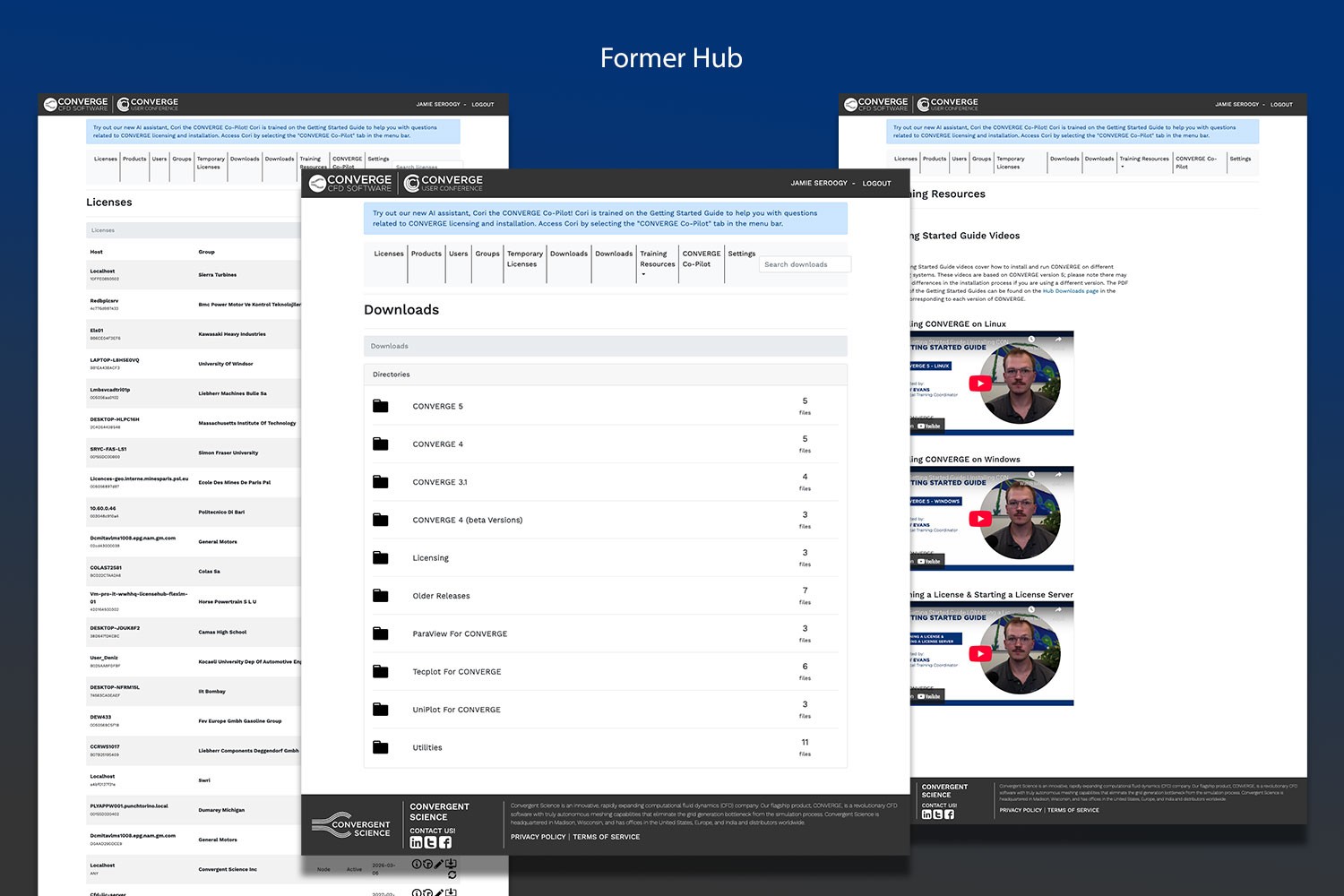
The current hub housed through the Convergent Science website is outdated and organized in a less streamlined way. It holds many downloads that do not provide context as to what they are and when you would use them. Currently users often don't know the hub holds training materials and rather than dig in the current hub, they contact their sales support person and ask for assistance.
Research
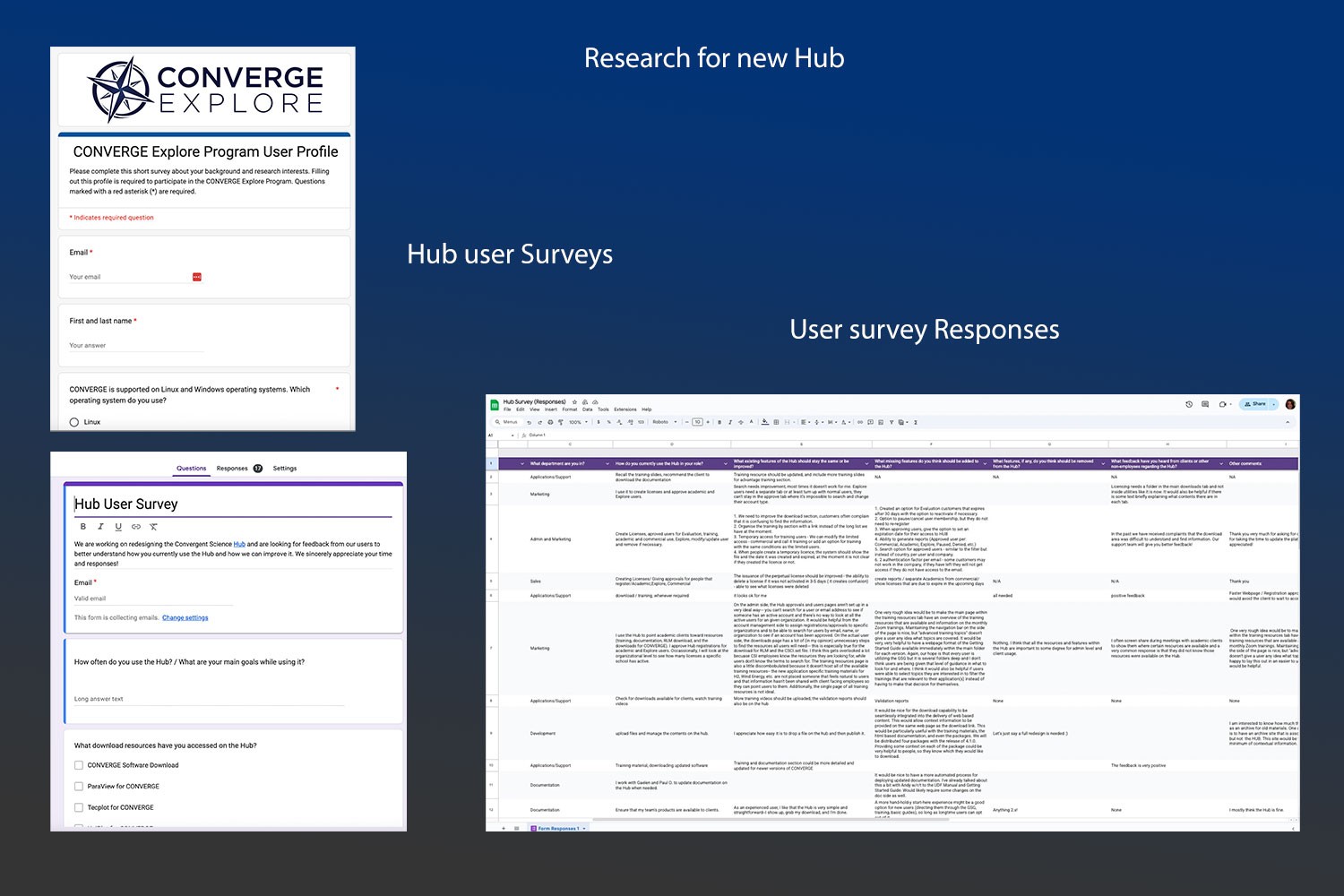
The process of redesigning the hub started before my time at Convergent Science. I was provided responses from a user survey sent to internal teams as well as the questions. We also sent out a new user survey for existing customers and got feedback on whats working, what is not working and what is missing in the hub. I was able to interview multiple sales team professionals to provide feedback on their end using the hub, training their clients on the hub and providing support.
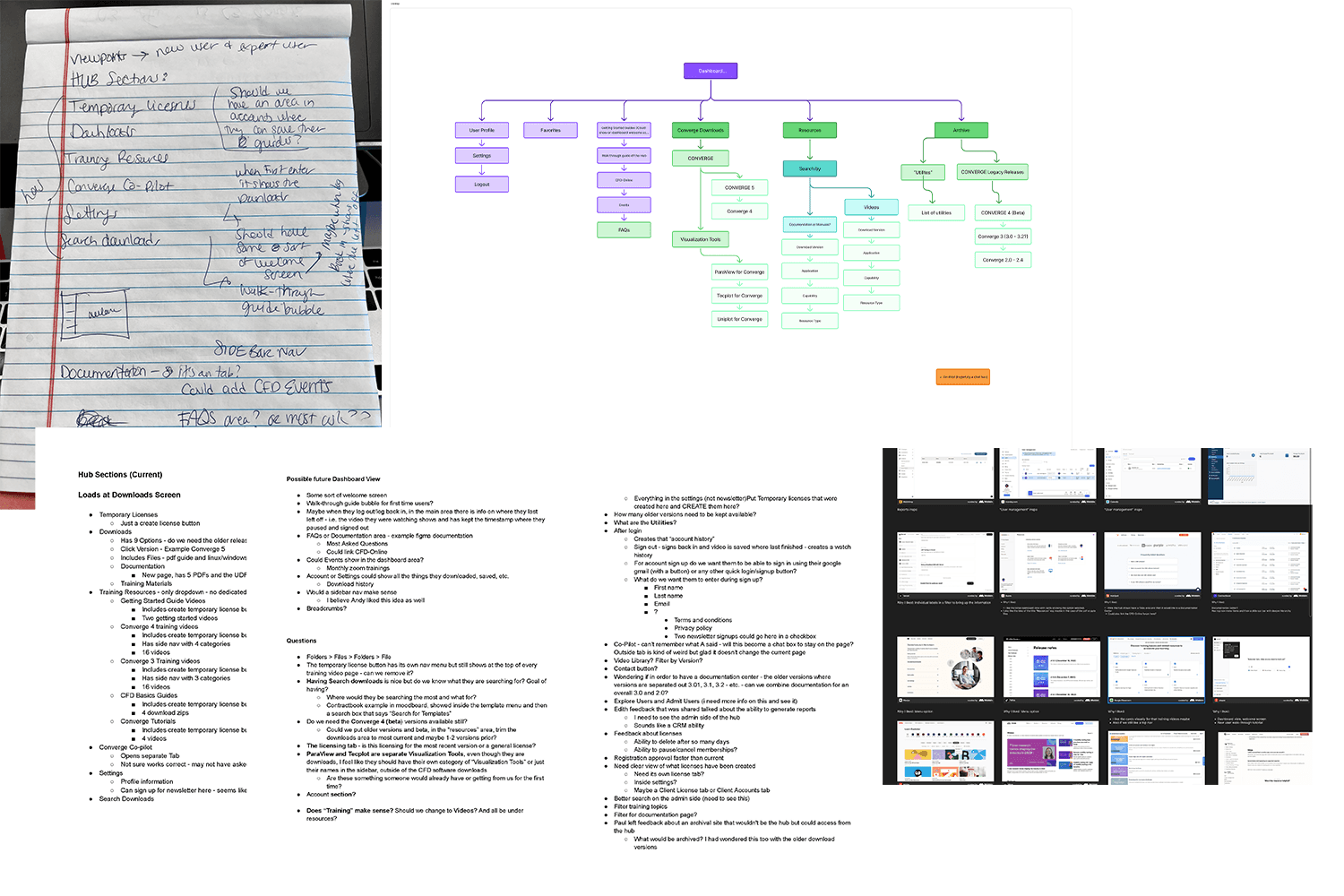
Following the interviews, I created a google doc with all the notes, observations and questions I had regarding the current hub and what could be taken away or added to the future hub in order to make it an enhanced user experience. Including sites like Mobbin in my research, I kept images of UI and layouts that were potential inspiration for the future design.
Early Wireframing
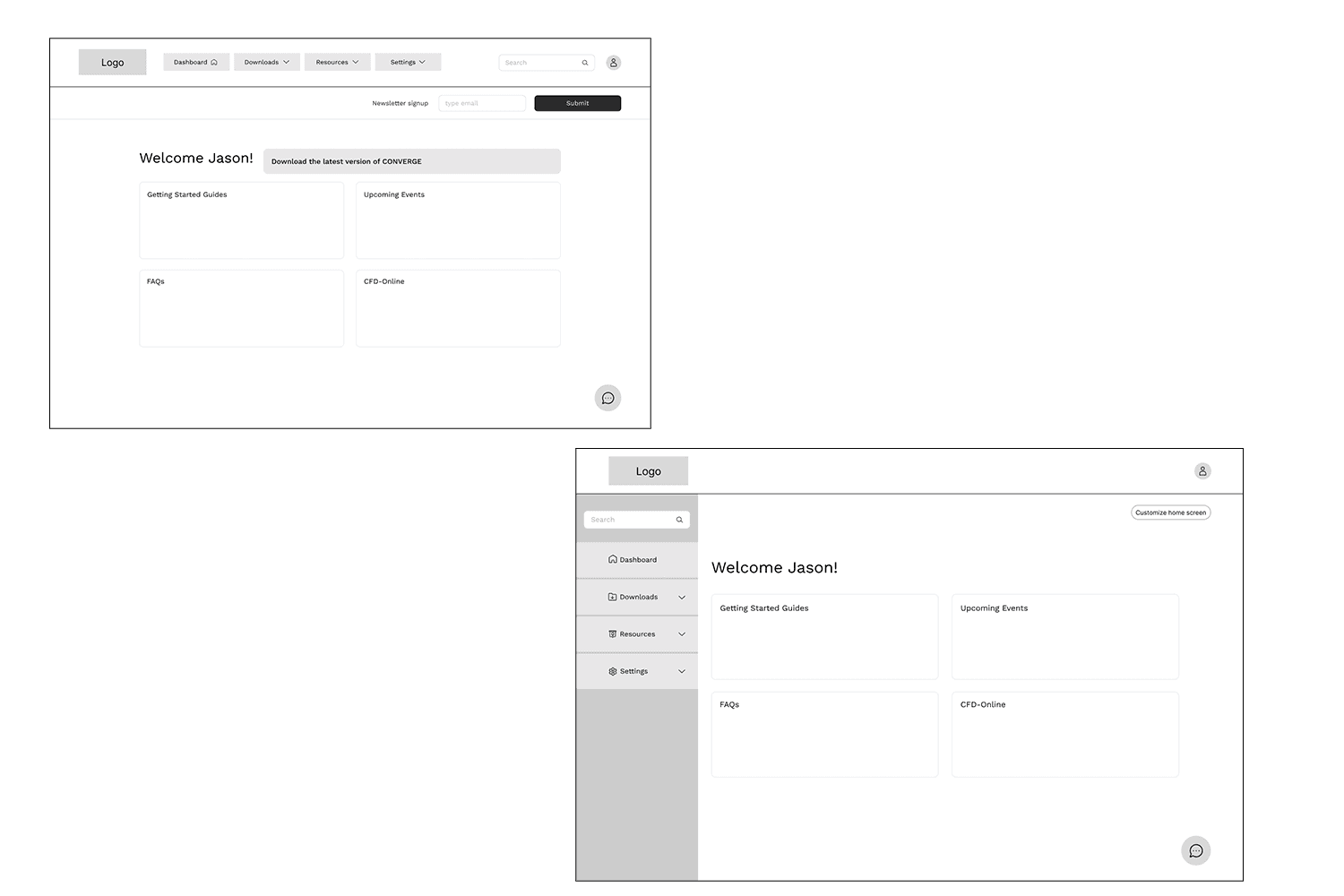
I prefer to go into figma and start roughly wireframing with boxes rather than sketching. I wanted to see if the top page horizontal menu being used in the current hub made sense or if the side bar navigation were better utility.
Style Guide
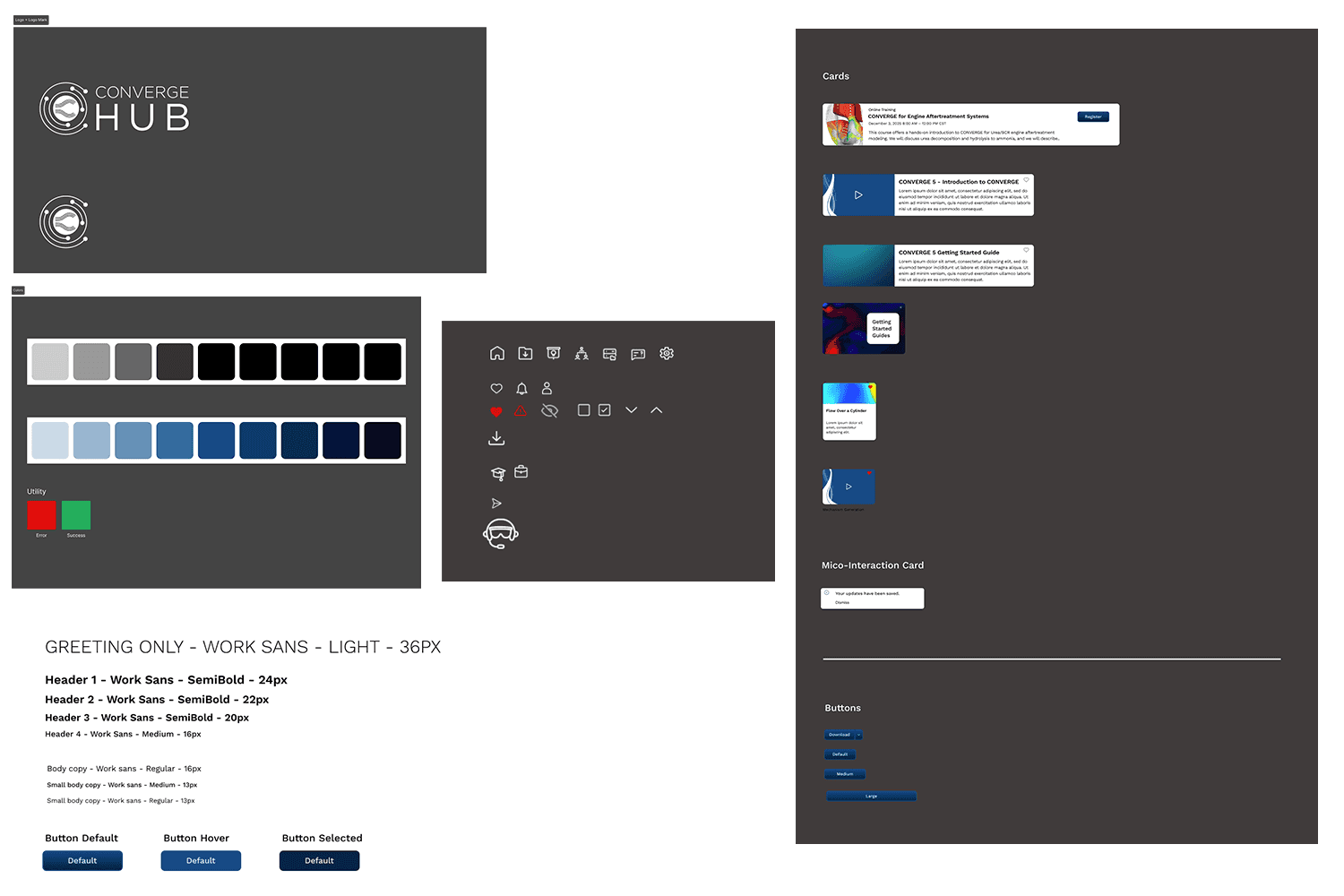
The image below provides the assets utilized in the new hub design.
Registration and welcome walk through
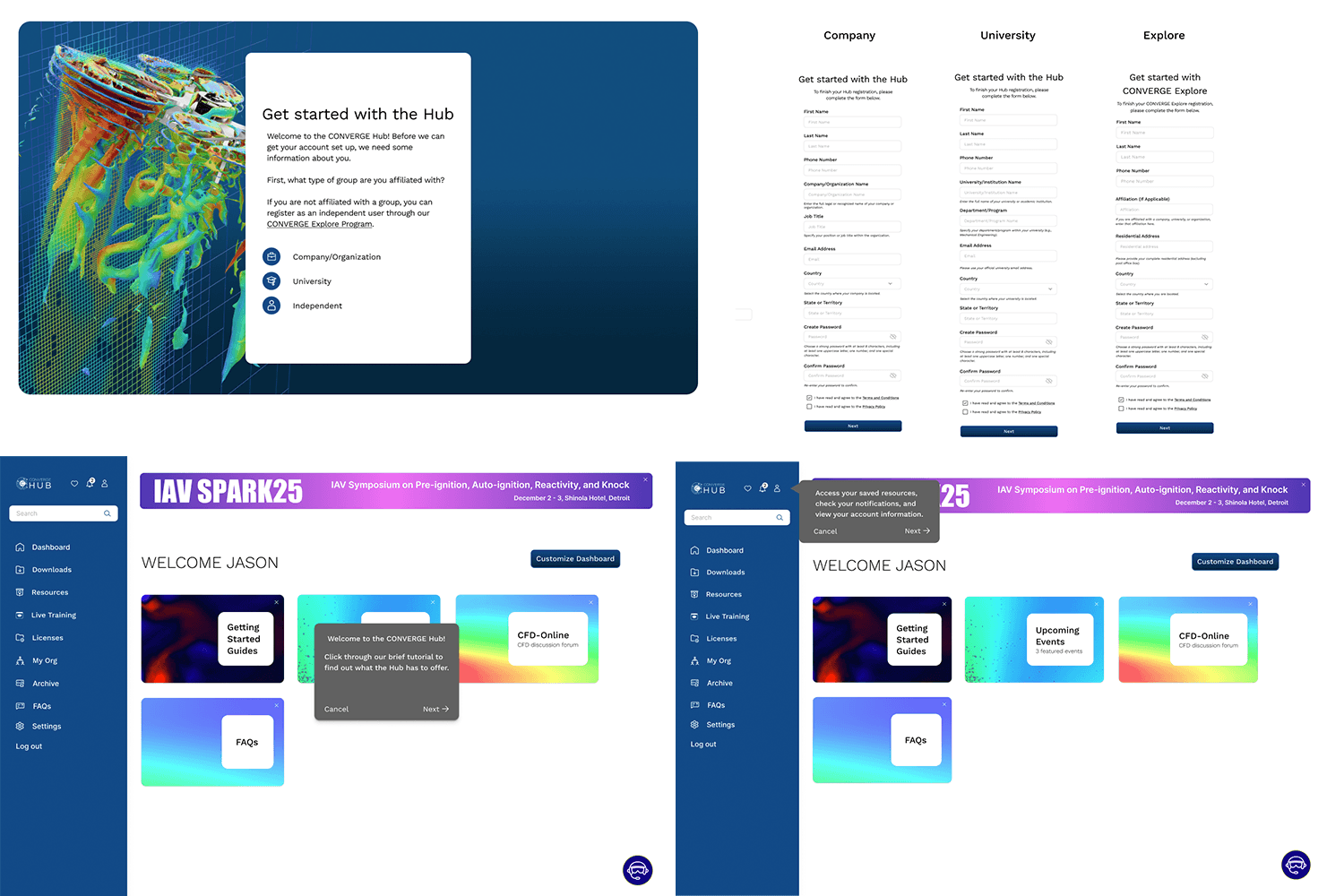
There are multiple hub user types for Convergent science. We narrowed down the registration flow for three types: Company, University and Independent. Each selection will take the user to fill out a specific form in order to associate their account with their user type. Once approved, there will be a welcome walk through popup guiding the user around the dashboard that they can choose to follow or close out.
Prototype walkthrough
This quick walkthrough of the hub shows the dashboard sidebar navigation layout. This keeps the viewing area clean and organization of the content clear. Dev is still in production phase of building the hub and we have added another section called Live Training to provide users with their course materials. All hub colors and journeys have otherwise been made. The team has created a hub inventory sheet using google sheets to provide dev all the links to images, videos, manuals and all the resources that will be available for users to discover in the resources.
Pages
The video below includes a walkthrough of my figma file to show my process from mood boards to high fidelity wireframe. Each page started a new phase of the project so I could continue iterating without losing previous steps. I find this useful for organization and to refer back in case any questions came back up.